Rich Inspections
Beyond basic Validation, the Concord IntelliJ Plugin includes a set of rich inspections designed to maintain code quality and prevent common mistakes before they reach production.
Available Inspections
1. Duplicated Keys
Flags when the same key is defined twice within the same YAML mapping, which is invalid.
2. Duplicate Flow Names
Ensures that flow names are unique within a Scope. This prevents ambiguity when calling flows across different files.
3. Out of Scope
Warns when a .concord.yaml file is opened that doesn't belong to any defined Concord project. This helps diagnose issues where navigation or completion isn't working as expected.
4. Documentation Drift
Detects mismatches between the actual parameters used in a flow and those described in its Documentation Block.
5. Type Mismatches
Checks that parameter types defined in documentation match the values being passed in call steps.
Configuring Inspections
You can control which inspections are enabled and their severity (Error, Warning, Information):
- Navigate to Settings | Editor | Inspections.
- Search for Concord.
- Use the checkboxes to enable/disable specific rules.
Example
Detecting Duplicates
Inspections help keep your monorepo clean by flagging naming collisions:
Create two flows with the same name in different files within the same project and see the IDE flag them.
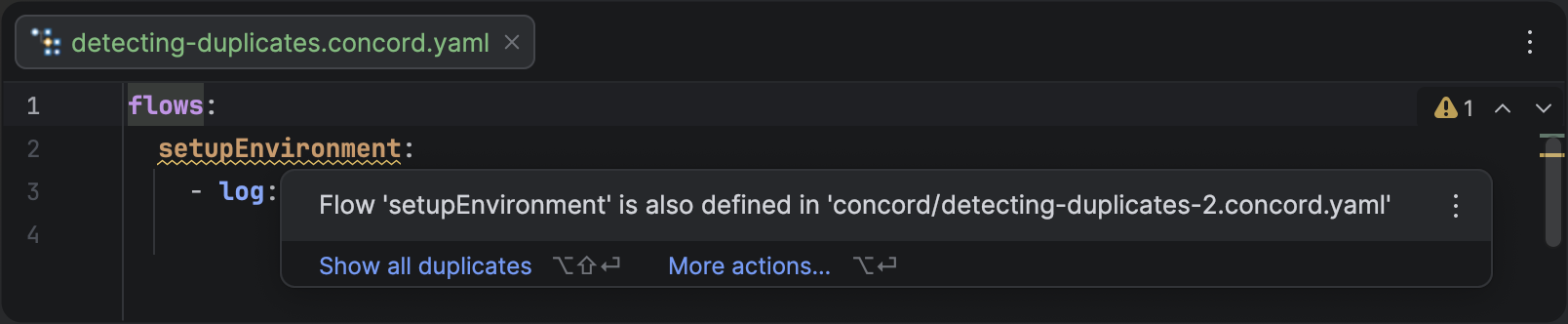
Inspection highlighting a duplicated flow name across different files in the same scope.
By default, critical issues like duplicate names are shown as Warnings, but you can promote them to Errors if you want to be more strict.