What’s New in Concord IntelliJ 0.16.0
The 0.16.0 release focuses on deep project analysis and automated maintenance.
This update introduces the Call Hierarchy tool window and a powerful set of Quick Fixes for flow documentation,
making it easier than ever to maintain large-scale Concord codebases.
Call Hierarchy
Understanding flow dependencies is critical for impact analysis. The new Call Hierarchy view allows you to visualize caller-callee relationships as a hierarchical tree.
You can now instantly answer questions like:
- "Which flows call this common utility?" (Caller Hierarchy)
- "What is the complete execution chain of this main process?" (Callee Hierarchy)
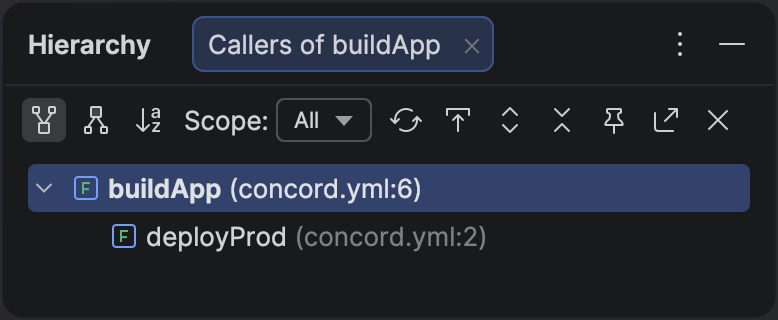
The Call Hierarchy view provides a bird's-eye view of your project's flow dependencies.
Rename Refactoring
Renaming a flow across a large project used to be error-prone. With the new Rename Refactoring, you can safely rename a flow definition, and the plugin will automatically update every call referencing it within the current scope.
- Safe: Updates strictly confined to the project scope.
- Preview: Review all changes before applying them.
- Shortcut: Just press ShiftF6 on any flow name.
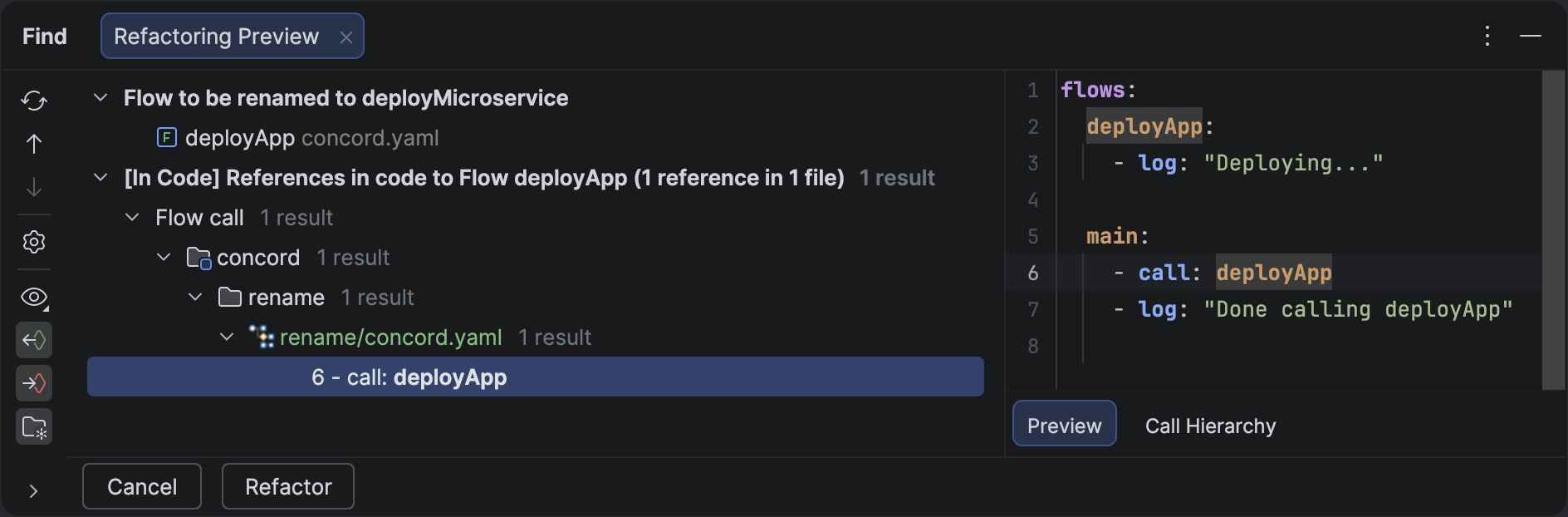
Rename a flow once, and all references are updated instantly.
Smart Inspections: Duplicate Flows
Naming collisions can lead to confusing bugs in complex projects. The plugin now includes a Duplicate Flow Name Inspection that warns you if the same flow name is defined multiple times within the same scope.
- Detection: Flags duplicate definitions even across different files.
- Resolution: Provides a Quick Fix to show all conflicting definitions in a Usage View panel, making it easy to decide which one to rename or remove.
Flow Documentation Improvements
We've significantly enhanced the developer experience for Flow Documentation. Documentation blocks are no longer just static comments—they are now actively maintained by the IDE.
New Quick Fixes
The plugin now detects and offers one-click fixes for several common documentation issues:
- Missing Parameters: If you use a variable in a flow that isn't documented, the IDE will offer to add it to the in: section automatically.
- Keyword Typos: Automatically correct common misspellings like
mandatryoroptinalin your documentation blocks. - Invalid Types: Misspelled types like
strnigcan now be instantly replaced with valid Concord types from a suggested list. - Broken Boundaries: A new quick fix helps you restore missing closing
##markers.
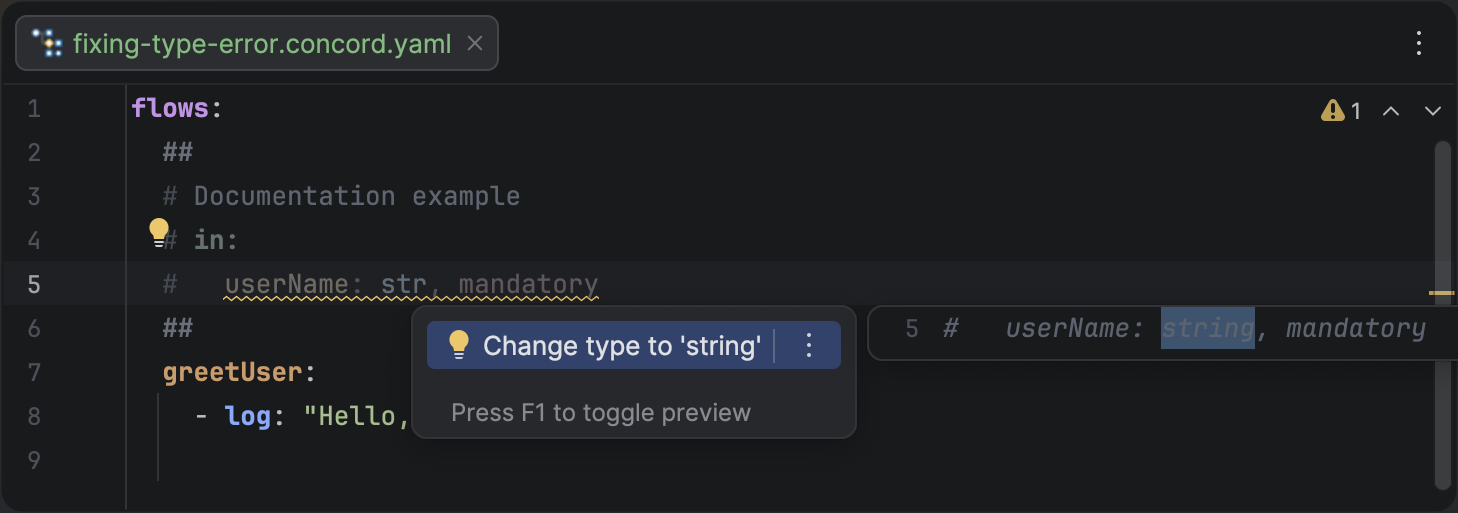
Intelligent Quick Fixes help you keep your flow documentation accurate and up-to-date.
Arbitrary Indentation
Flow documentation blocks now support arbitrary indentation styles. Whether you prefer two spaces, four, or something else, the plugin correctly parses your parameters as long as they are more indented than the section headers.
Multiple Scopes Support
For teams working with monorepos, we've added full support for Multiple Scopes. The plugin now automatically isolates Concord projects within a single IntelliJ workspace.
- Isolation: References and completion are confined to the current project scope.
- Discovery:
concord.yamlfiles are automatically detected as project roots. - Search: Global search results now show the scope name (e.g.,
[billing-service] deploy) to help you distinguish between flows with identical names in different projects.
Enhanced Performance
This release introduces smarter caching for flow documentation and input parameter resolution. These internal changes significantly reduce the CPU load when working with large files and improve the responsiveness of code completion and navigation.