Call Hierarchy
In complex Concord projects, flows often form deep chains of execution. Understanding these dependencies is crucial for impact analysis and debugging.
The Call Hierarchy view helps you visualize these relationships as a tree, answering two critical questions:
- Callers: "Who calls this flow?" (Upstream analysis)
- Callees: "What does this flow call?" (Downstream analysis)
Accessing the Tool
You can invoke Call Hierarchy on any flow name (definition) or call step.
- Shortcut: CtrlAltH
- Menu:
Navigate | Call Hierarchy - Context Menu: Right-click on a symbol and select
Call Hierarchy.
Analysis Modes
Once the tool window opens, use the toolbar buttons to switch between views.
Caller Hierarchy
"Who calls me?"
This is the default view. It places your selected flow at the root. Expanding the tree reveals every flow that contains a call to it.
- Impact analysis: Before renaming or changing a flow's arguments, check this view to see all the places you need to update.
- Dead code discovery: Easily identify flows that are never called.
Callee Hierarchy
"Who do I call?"
This inverts the tree. It shows the selected flow at the root, and expanding it reveals every sub-flow it invokes.
- Logic overview: Understand the control flow of a complex "Main" process without reading every line of YAML.
Example
Consider this deployment pipeline:
flows:
  deployProd:
    - call: buildApp
    - call: deployToCluster

  buildApp:
    - log: "Building..."

  deployToCluster:
    - log: "Deploying..."
Analyzing Callers
Running the tool on buildApp reveals all flows that invoke it.
Right-click on a flow name and choose Call Hierarchy.
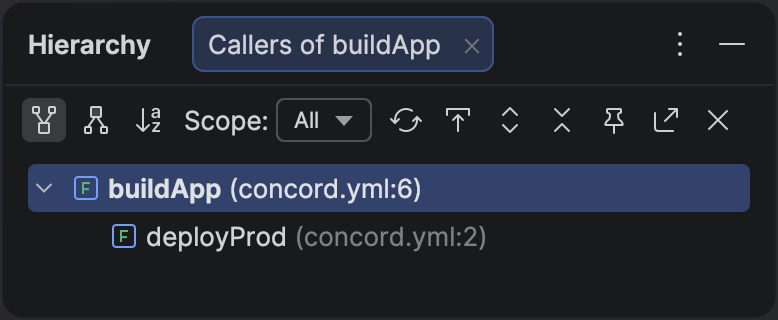
Call hierarchy showing that buildApp is called by deployProd.
Analyzing Callees
Running the tool on deployProd shows the sequence of steps it orchestrates.
Right-click on a flow name and choose Call Hierarchy.
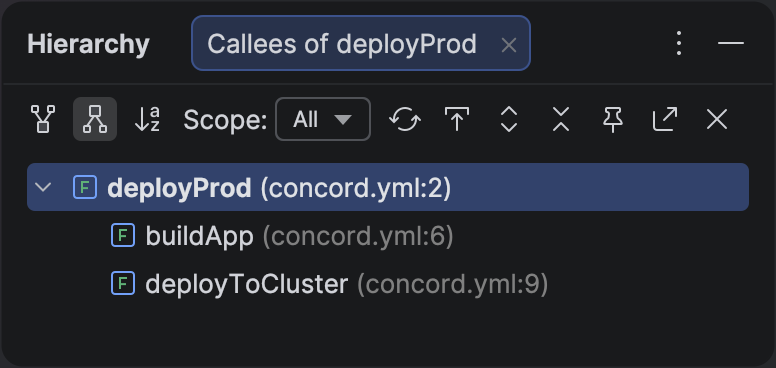
Callee hierarchy showing the sub-flows called by deployProd.
Double-click on any node in the tree to jump directly to the specific call line in your code.