What's New in Concord IntelliJ 0.19.0
The 0.19.0 release brings Hover Documentation for flows, tasks, and YAML keys,
a Task Schema System that powers context-aware completion and validation for task parameters,
Quick Documentation in Completion popups,
and a new Server-Only Dependency Inspection with an automatic quick fix.
Hover Documentation
You can now press CtrlQ on any Concord element to see contextual documentation without leaving the editor.
Flow Call Documentation
Hovering over a flow name in a call step shows the flow's description, input/output parameters with types, required/optional flags, and descriptions — all extracted from the target flow's documentation block.
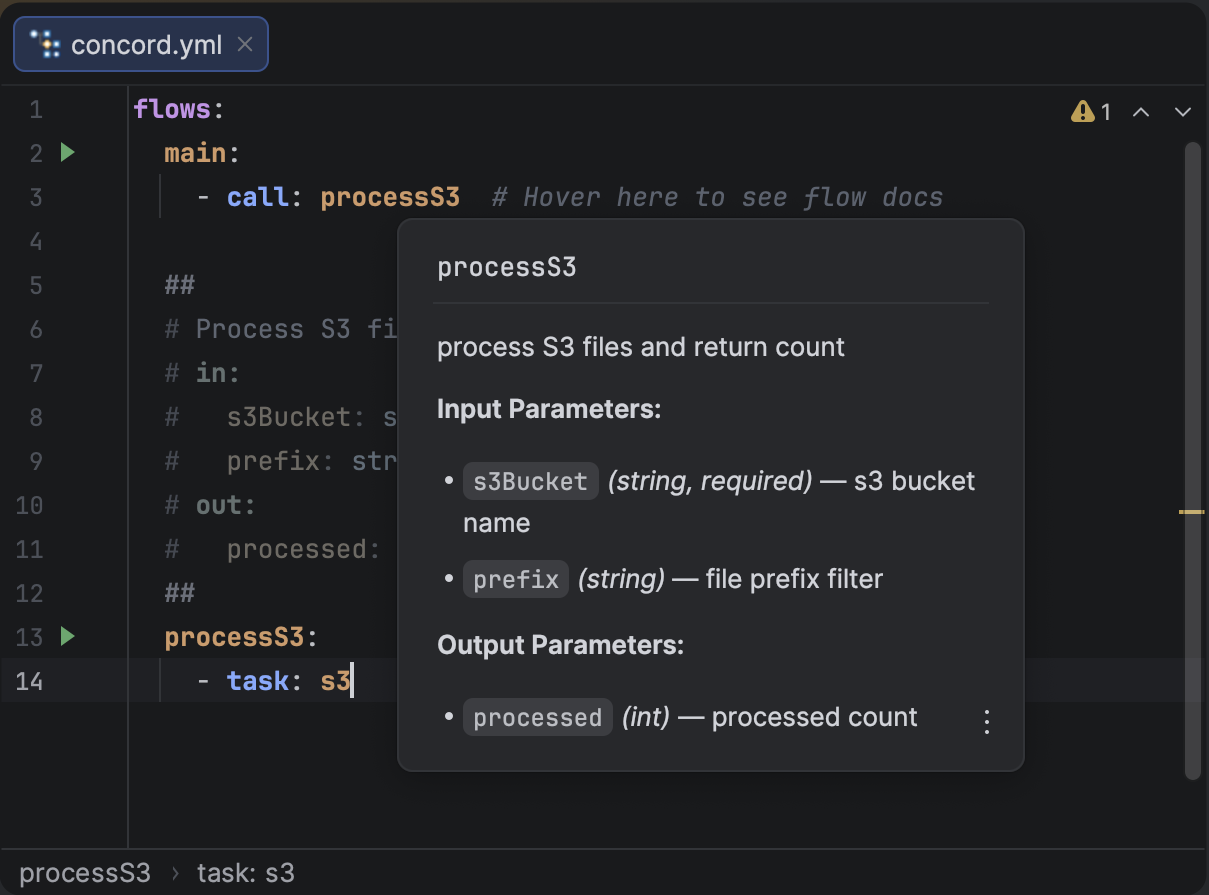
Hover documentation for a flow call showing parameters from its documentation block.
Task Documentation
Hovering over a task name shows its full description along with input/output parameters, types, and enum values — powered by built-in task schemas. For tasks with conditional parameters (e.g. different params for action: start vs action: fork), the popup groups them intelligently.
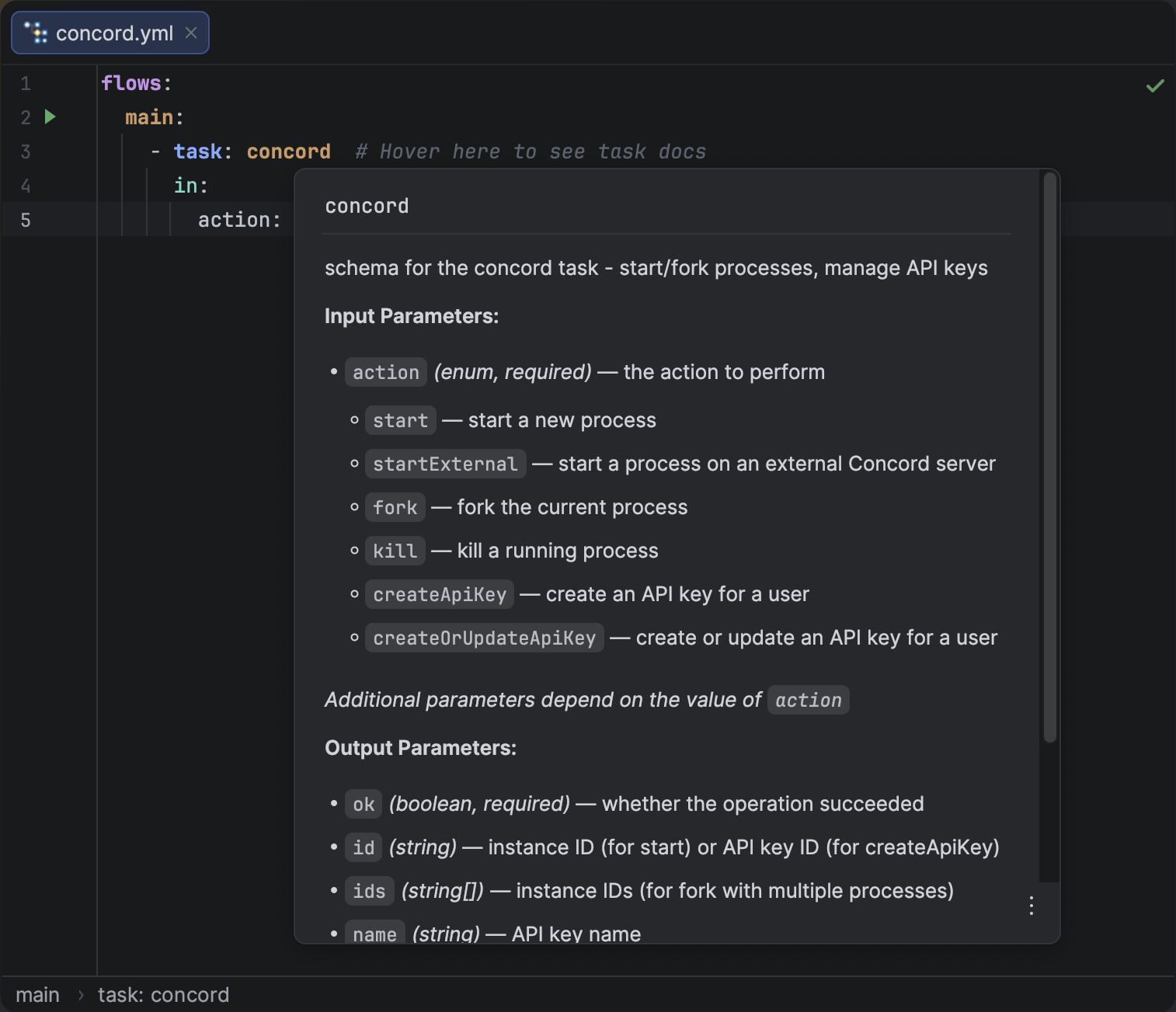
Hover documentation for a task showing input and output parameters from the task schema.
YAML Key Documentation
Hovering over any Concord YAML key — top-level sections, step types, and their properties — shows a description of that key's purpose in context.
Task Schema System
A new JSON Schema-based system powers intelligent completion and validation for task step parameters.
- Parameter Completion: The plugin suggests valid
inparameter names for known tasks as you type. - Enum Value Completion: For parameters that accept a fixed set of values (e.g.
action,method), the allowed options are suggested. - Conditional Parameters: Suggestions adapt based on already specified values. After setting
action: start, only parameters relevant to thestartaction are suggested. - Validation: Unknown keys and invalid values inside task
in/outblocks are flagged by inspections.
The initial release ships with the built-in concord task schema. More task schemas will be added in future releases.
Quick Documentation in Completion
While the completion list is open, you can now press CtrlQ to preview documentation for the selected item without accepting it. This works for YAML keys, task names, and task parameters.
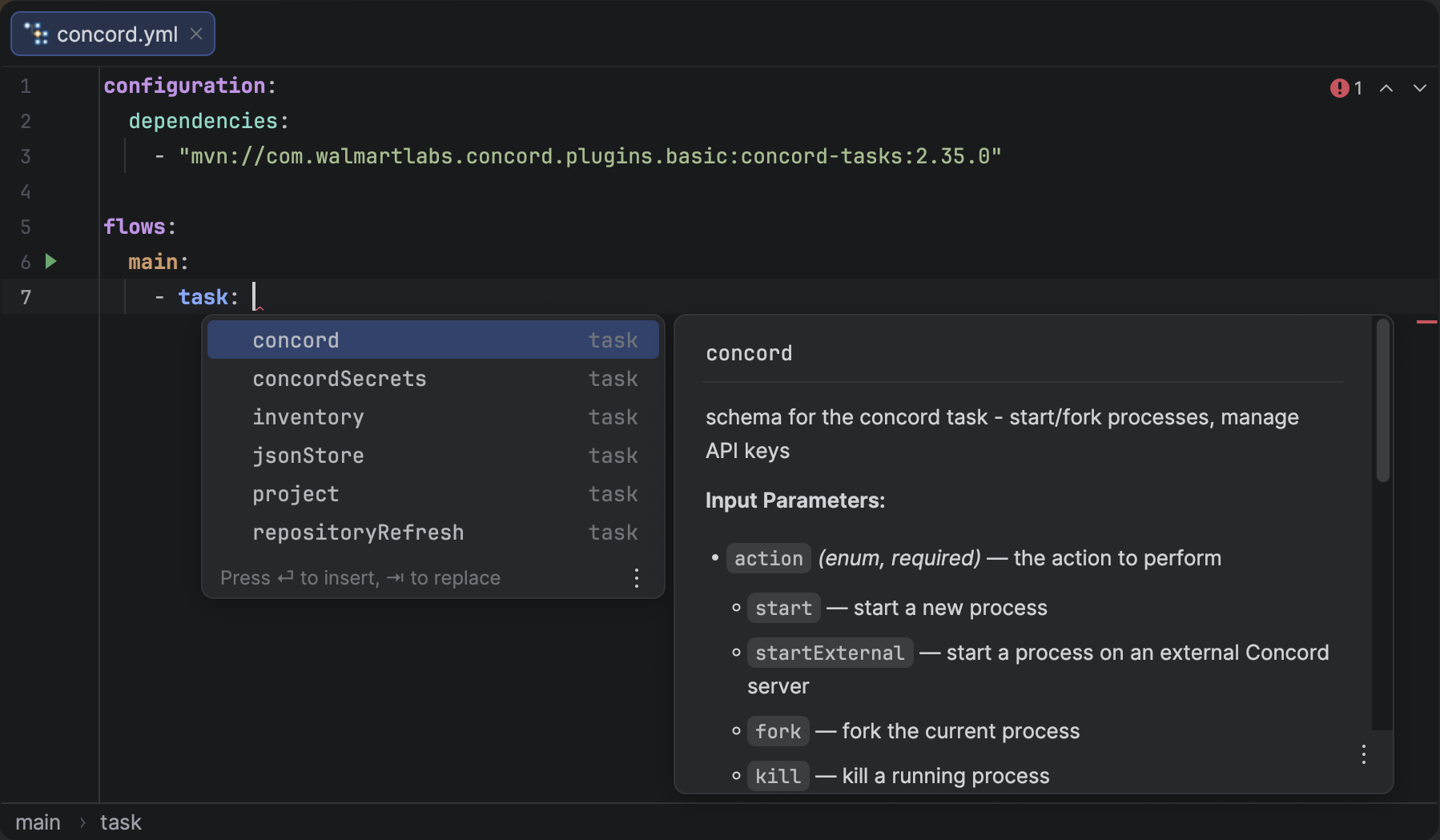
Quick documentation for a task name showing description, input and output parameters.
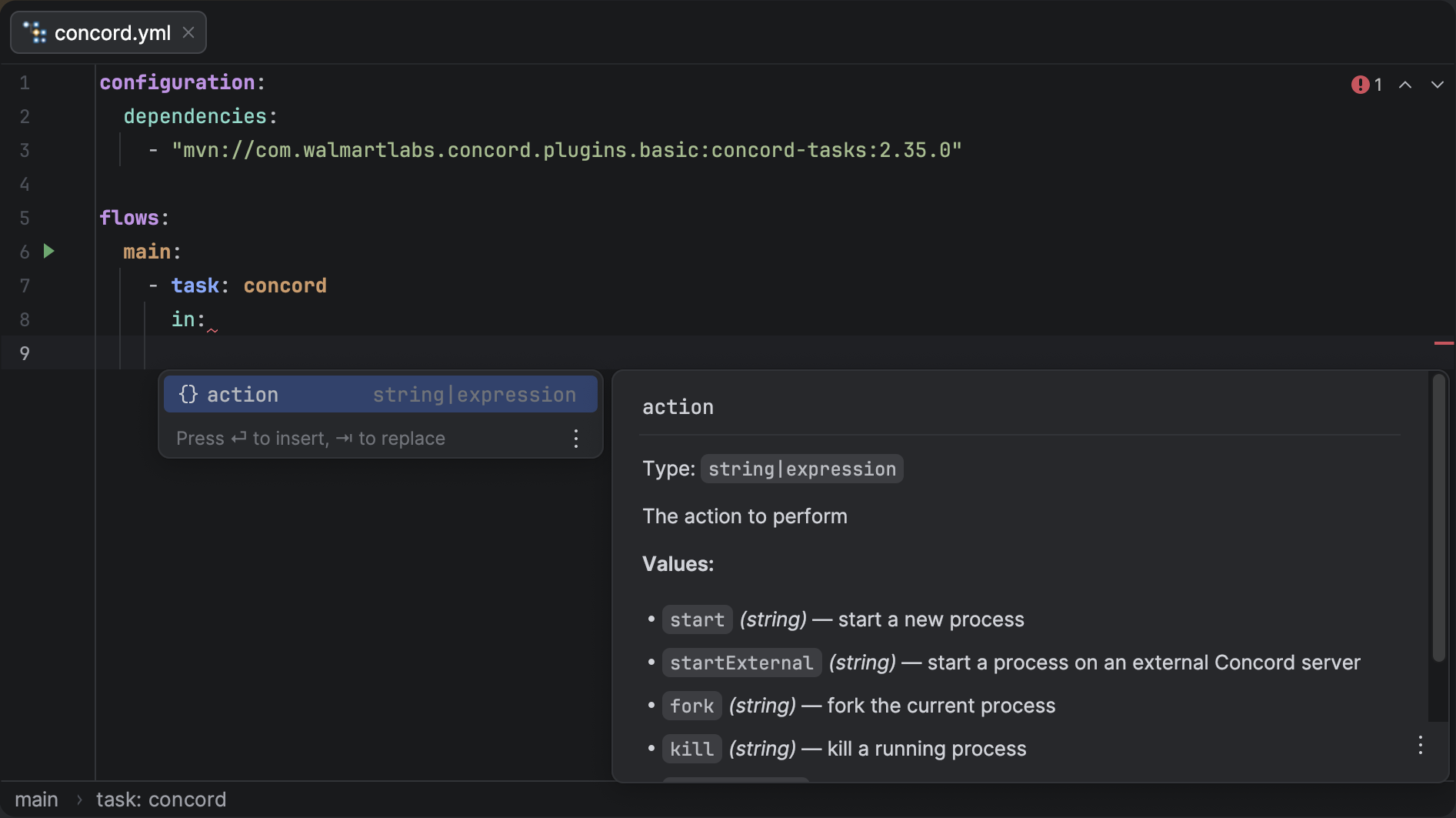
Quick documentation for a task parameter showing its type and description.
Server-Only Dependency Inspection
Dependencies that use version strings like latest — resolved at runtime by the Concord server but not by the IDE locally — are now detected and flagged with a weak warning. The plugin offers a quick fix that adds a concrete version to the cli profile, giving the IDE what it needs without affecting server execution.
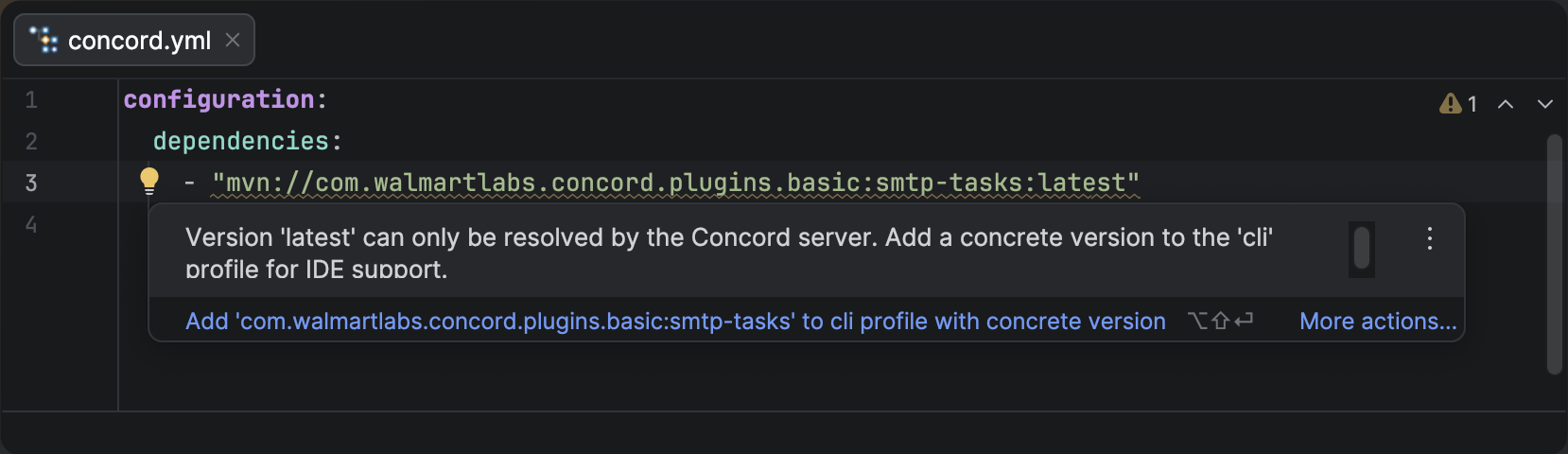
Weak warning on a dependency with latest version that cannot be resolved locally.
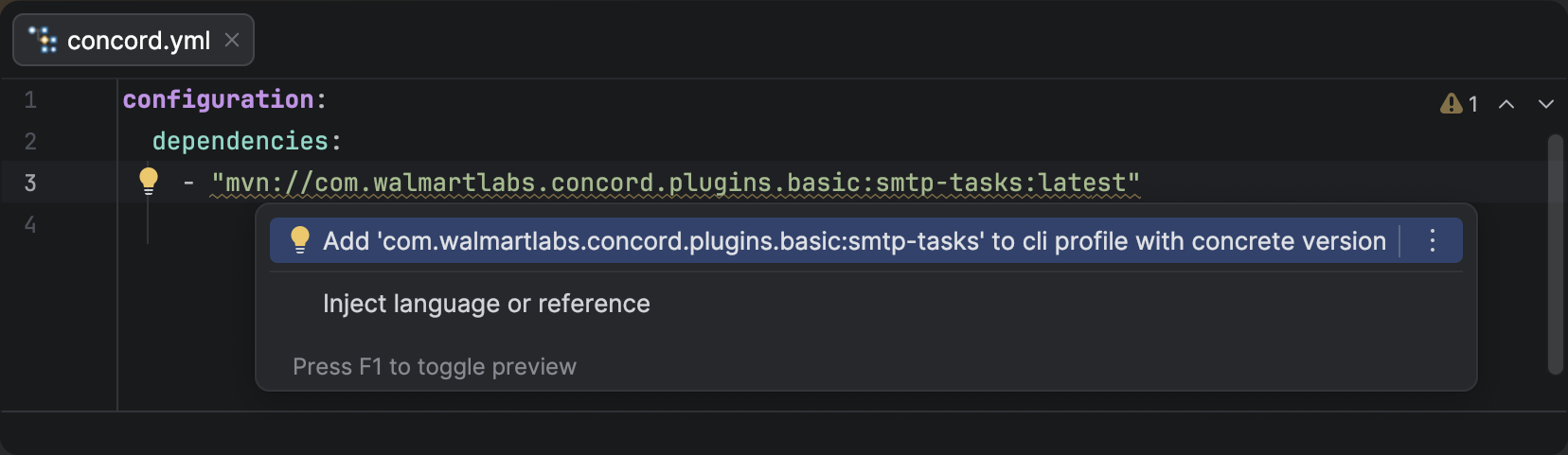
Quick fix suggesting to add the dependency to the cli profile with a concrete version.
Other Improvements
- Tool Window Icon: Fixed the tool window icon to use proper SVG format.