What’s New in Concord IntelliJ 0.17.0
The 0.17.0 release brings a significant boost to developer productivity with Automatic Language Injection for script steps.
This update also introduces Run Configurations to execute flows locally, editor breadcrumbs,
and improves scope safety with smarter inspections.
Run Configurations
You can now execute Concord flows locally directly from the IDE. This feature is powered by the Concord CLI, enabling rapid feedback loops during development without needing to push changes to a server.
The easiest way to start a flow is by using the Run icon in the editor gutter next to the flow definition. You can also right-click a flow name and select Run.
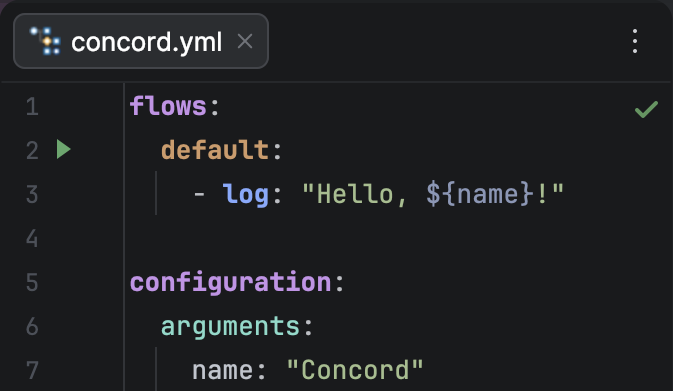
Key Features:
- Interactive Console: The output supports ANSI colors and clickable hyperlinks that take you directly to the source code on errors.
- Automatic CLI Management: The plugin can automatically download and configure the Concord CLI for you.
- Flexible Configuration: Customize execution with parameters, working directory, and different modes to fit your workflow.
Language Injection
Writing scripts inside YAML has always been a challenge—until now. The plugin now automatically detects and injects the appropriate language into script steps.
Whether you are writing Groovy, JavaScript, Python, or Ruby, you now get full IDE support directly inside your Concord files:
- Syntax Highlighting: No more plain text blocks. Code is colored and formatted correctly.
- Code Completion: Access standard library functions and Concord implicit variables.
- Inspections: Catch syntax errors in your scripts before running them.
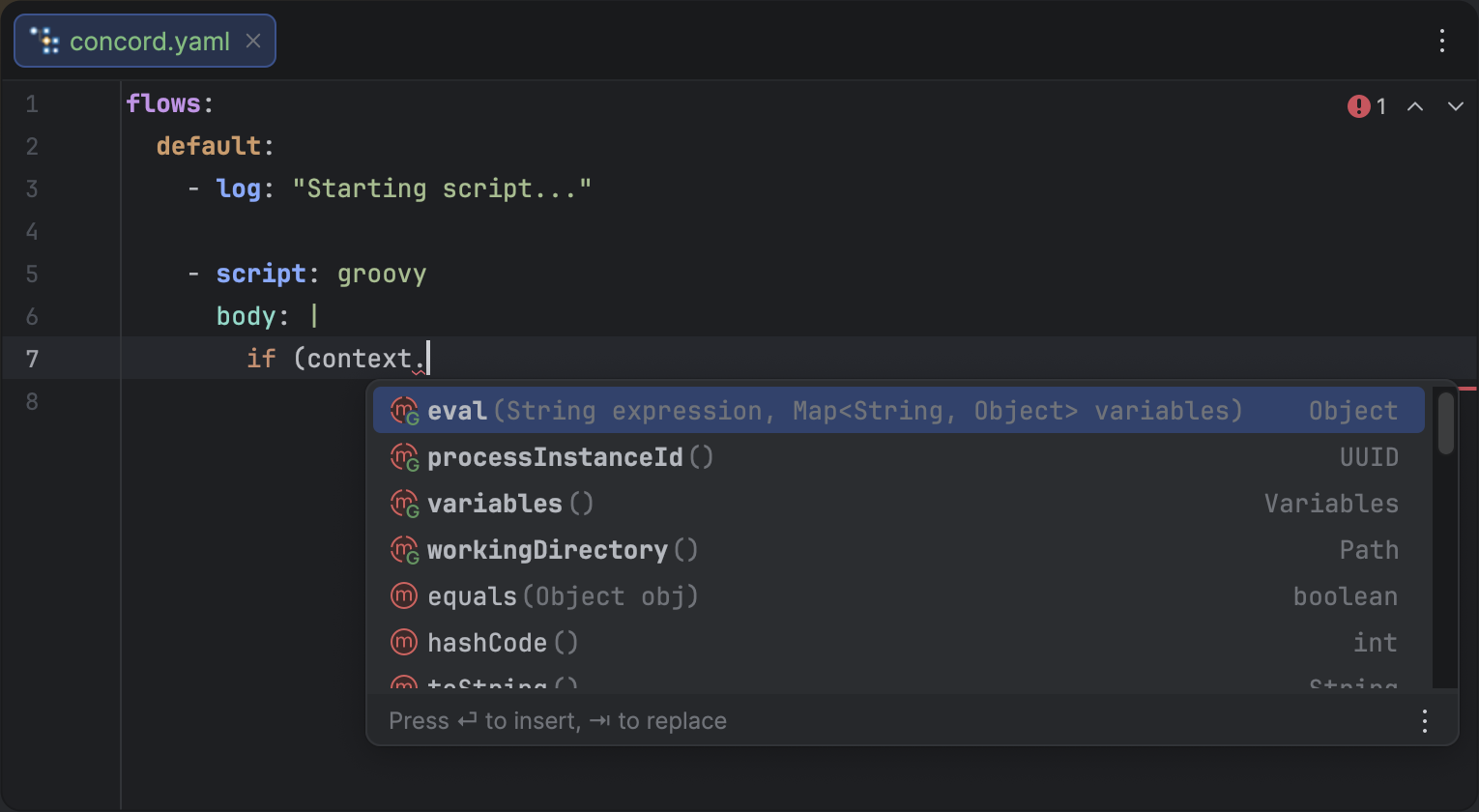
Full Groovy support inside a Concord script step.
Improved Navigation & Icons
We've added a dedicated Icon Provider for Concord files. Your Concord elements now have distinct icons in the Project View, Structure View, and Navigation popups, making it easier to distinguish between:
- Flow
- Trigger
- Form
Scope Safety Inspections
Working in a monorepo can get messy. The plugin now includes an inspection to warn you if a file is Outside of Scope.
If you open a .concord.yaml file that isn't part of a defined Concord project (root or resource), the IDE will notify you.
This prevents confusion when features like navigation or completion seem "broken"
simply because the file isn't being indexed as part of the project context.
Breadcrumbs
Navigating through deeply nested YAML structures is now much easier.
The plugin now integrates with the IDE's Breadcrumbs
component to show your current location within a .concord.yaml file.
The breadcrumbs bar at the bottom of the editor provides a clear path from the file root to your current element, such as the active flow and the specific step you are editing. This is especially helpful when dealing with complex, multi-step flows.
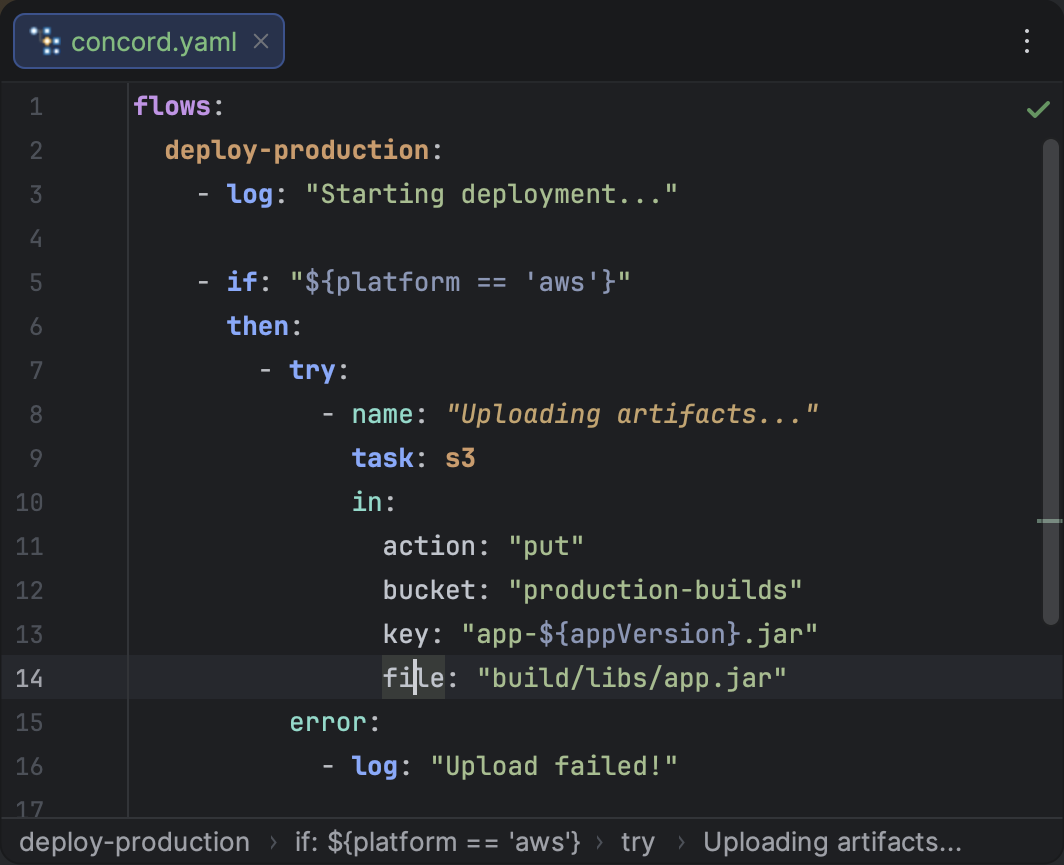
Stay oriented with breadcrumbs showing your location in the flow hierarchy.
Gitignore Support
The plugin now respects .gitignore rules during Concord file discovery and scope resolution.
This ensures that ignored files and directories (like build artifacts or temporary files) are excluded from the project's scope,
making completion, navigation, and search results more accurate and relevant to your source code.
Other Improvements
- Completion Fixes: Improved reliability of completion functionality in multi-scope projects.