What's New in Concord IntelliJ 0.21.0
The 0.21.0 release extends Expression Language support with
Built-in Function Completion,
Task Method Completion, and
Call Output Parameter Completion inside ${...} expressions,
adds a Required Parameters Check that catches missing mandatory flow parameters before execution,
a Repository Settings page for managing Maven repositories via mvn.json,
and a Resources Pattern Inspection that validates glob/regex patterns in resources.concord.
Expression Function Completion
Inside ${...} expressions, pressing CtrlSpace now suggests Concord's built-in functions alongside variables. Each suggestion shows a method icon, the function name, its signature, and return type. Parentheses are inserted automatically — with the caret placed inside for functions that take parameters.
Available functions include hasVariable(), hasNonNullVariable(), orDefault(), currentFlowName(), allVariables(), hasFlow(), uuid(), and others.
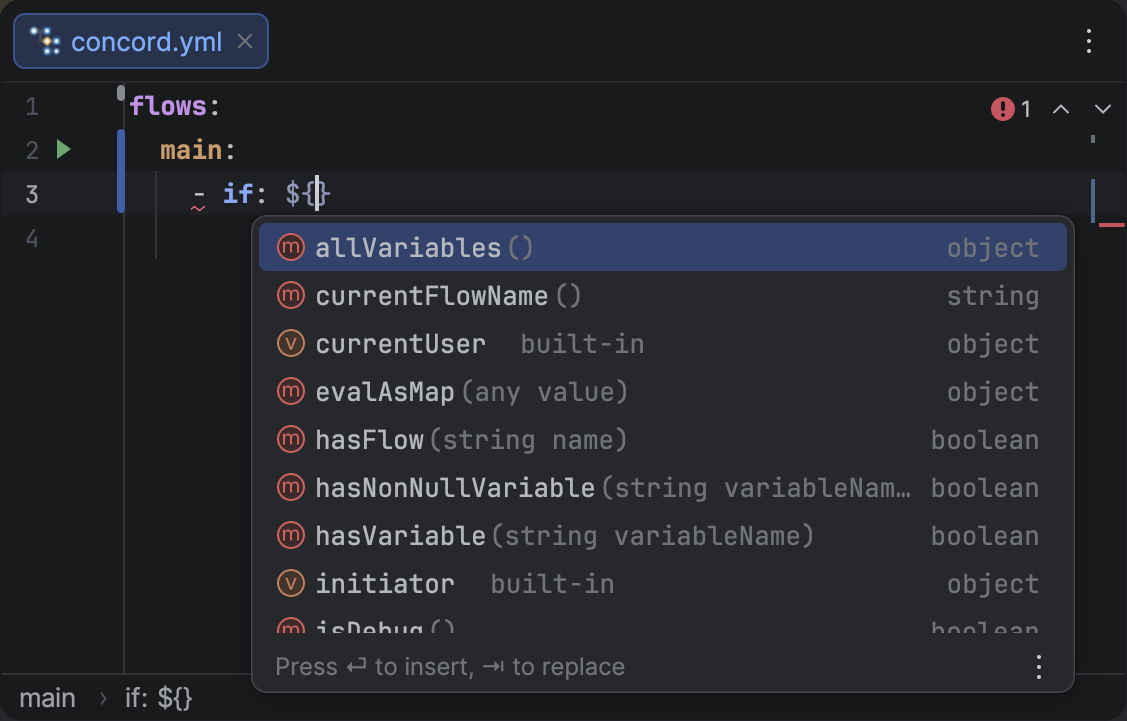
Function completion inside an EL expression, showing method icons, signatures, and return types.
Expression Task Method Completion
When you type a dot after a task name in a ${...} expression (e.g., ${datetime.}), the plugin now suggests the public methods available on that task. Method signatures are extracted from the task's dependency JAR at the bytecode level, so they reflect the actual Java API.
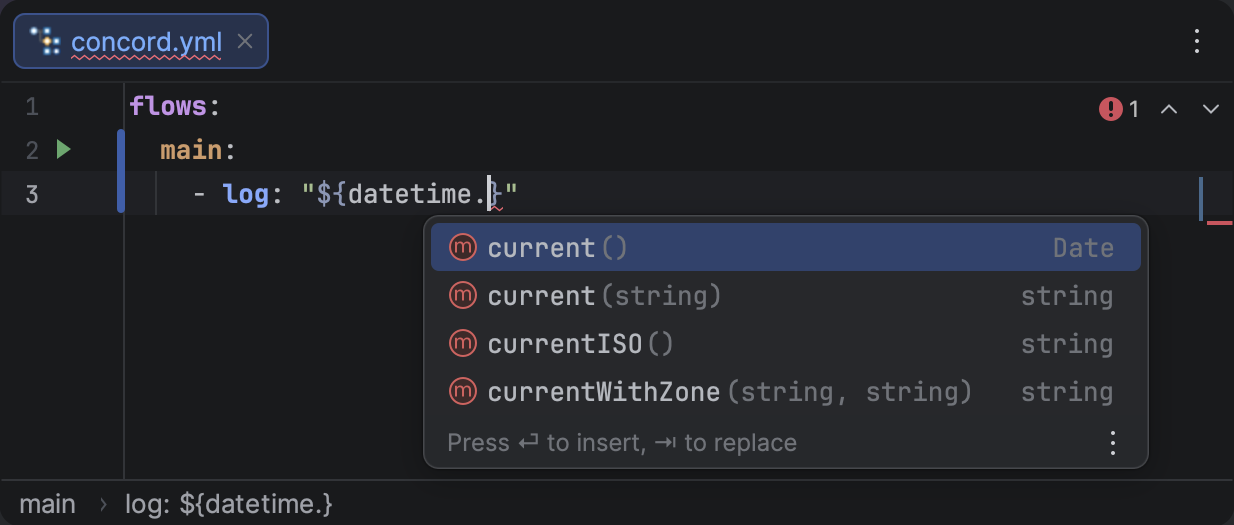
Task method completion after a dot, showing method names, parameter signatures, and return types.
Required Flow Parameters Check
When you run a flow that has mandatory input parameters (declared in a flow documentation block), the plugin now checks whether all required parameters have values before execution. If any are missing, it opens the Run Configuration dialog with the missing parameter rows pre-filled, so you can provide values before the flow starts.
Repository Settings
A new Settings | Tools | Concord | Repositories page lets you manage Maven repositories directly from the IDE. The plugin reads and writes Concord CLI's ~/.concord/mvn.json file, so the IDE and CLI always share the same repository configuration.
Each repository supports authentication, release/snapshot policies, and proxy settings. If no repositories are configured, the plugin falls back to Maven Central.
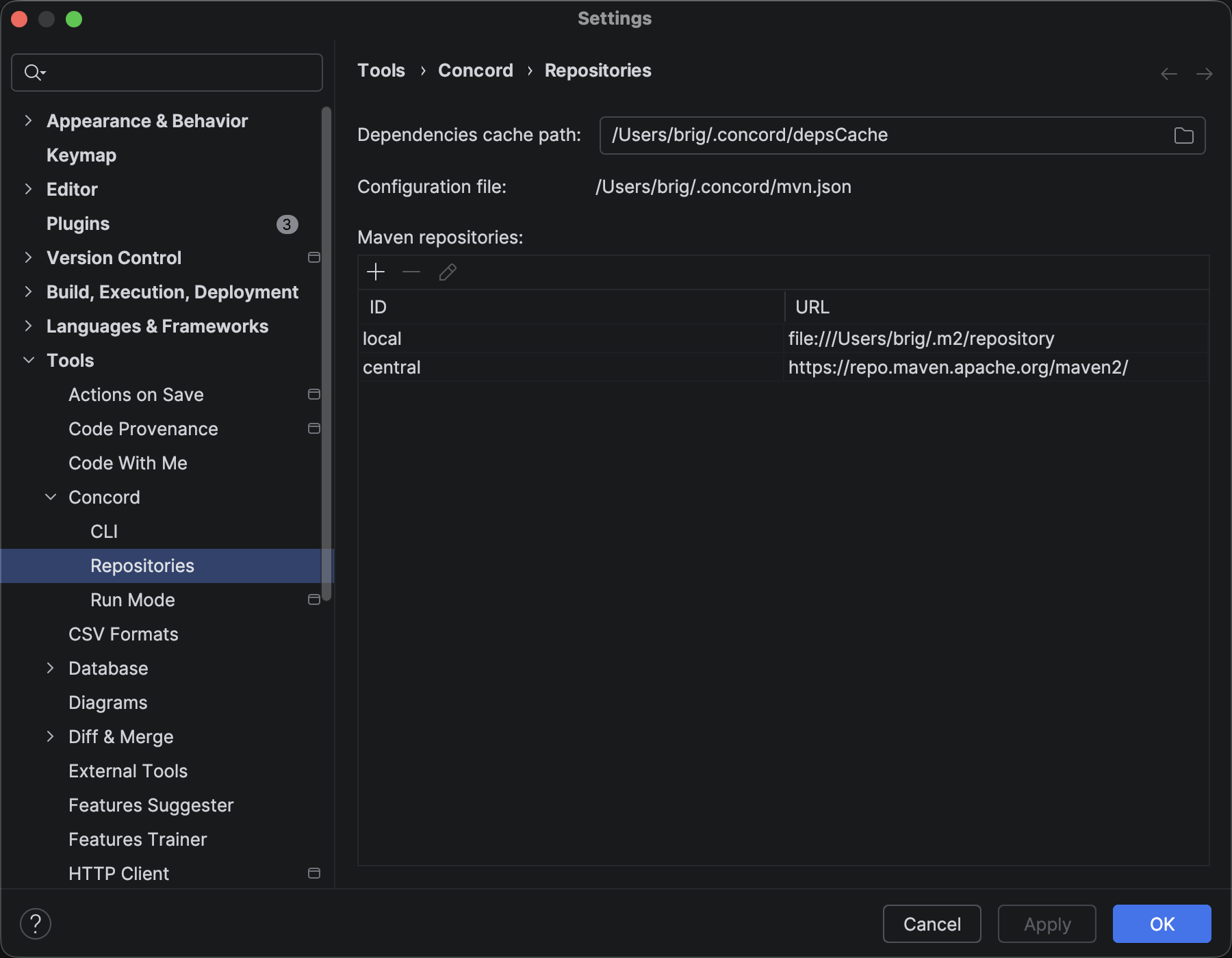
The Repositories settings page showing configured Maven repositories and the dependencies cache path.
Other Improvements
- Resources Pattern Inspection: Invalid glob or regex patterns in
resources.concordlists are now flagged with a warning, catching typos and syntax errors before runtime. - Configurable Target Directory: The target directory for CLI execution (default
.concord/target) is now configurable in Settings | Tools | Concord Run Mode. The directory is automatically excluded from IntelliJ's indexing. - Call Output Variable Completion: Output parameters from call steps are now available as variable suggestions in
${...}expressions within the same step's out block. - EL Task Name Completion: Task names from project dependencies are now suggested inside
${...}expressions, with class icons to distinguish them from variables and functions.