What's New in Concord IntelliJ 0.20.0
The 0.20.0 release is all about Expression Language support — bringing
EL Highlighting with lexer-level coloring,
Variable Completion and Property Completion inside ${...} expressions,
Go to Declaration and Find Usages for variables,
Variable Schema Inference across flow steps,
and JDK Selection for the Concord CLI.
Expression Language Support
Concord ${...} expressions are now first-class citizens in the editor, with full IDE support from highlighting through navigation.
EL Highlighting
Expression delimiters ${ and } are highlighted at the lexer level, providing accurate, real-time coloring as you type — including inline strings, multiple expressions, and nested braces.
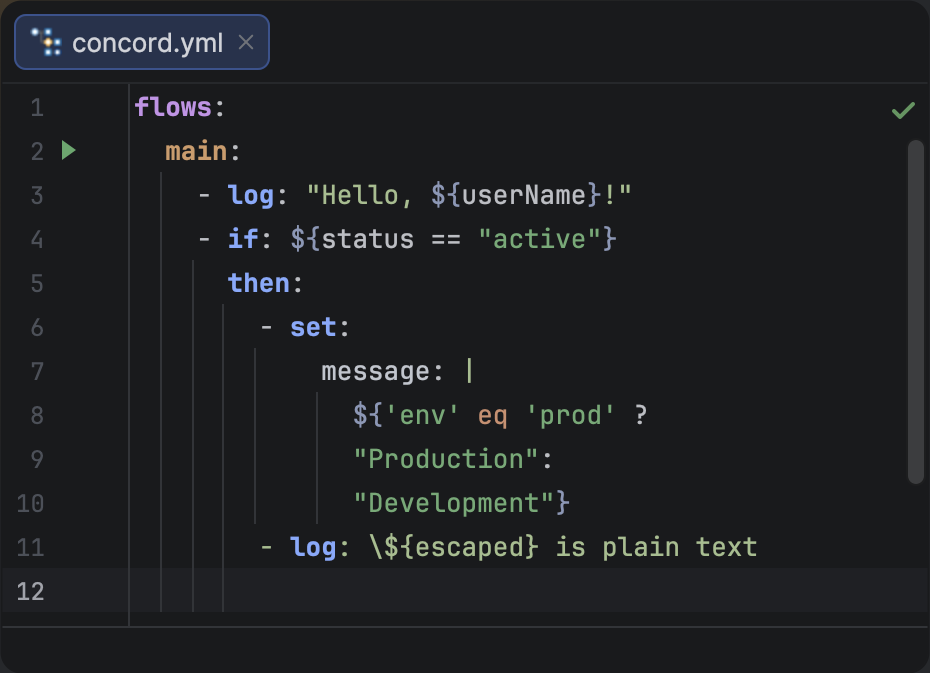
EL expression highlighting in Concord YAML files.
Variable Completion
Press CtrlSpace inside a ${...} expression to see all variables in scope. Each suggestion shows the variable name, its source (e.g. built-in, set, flow in, step out), and its type when known. Completion is context-aware — only variables visible at the current step are suggested.
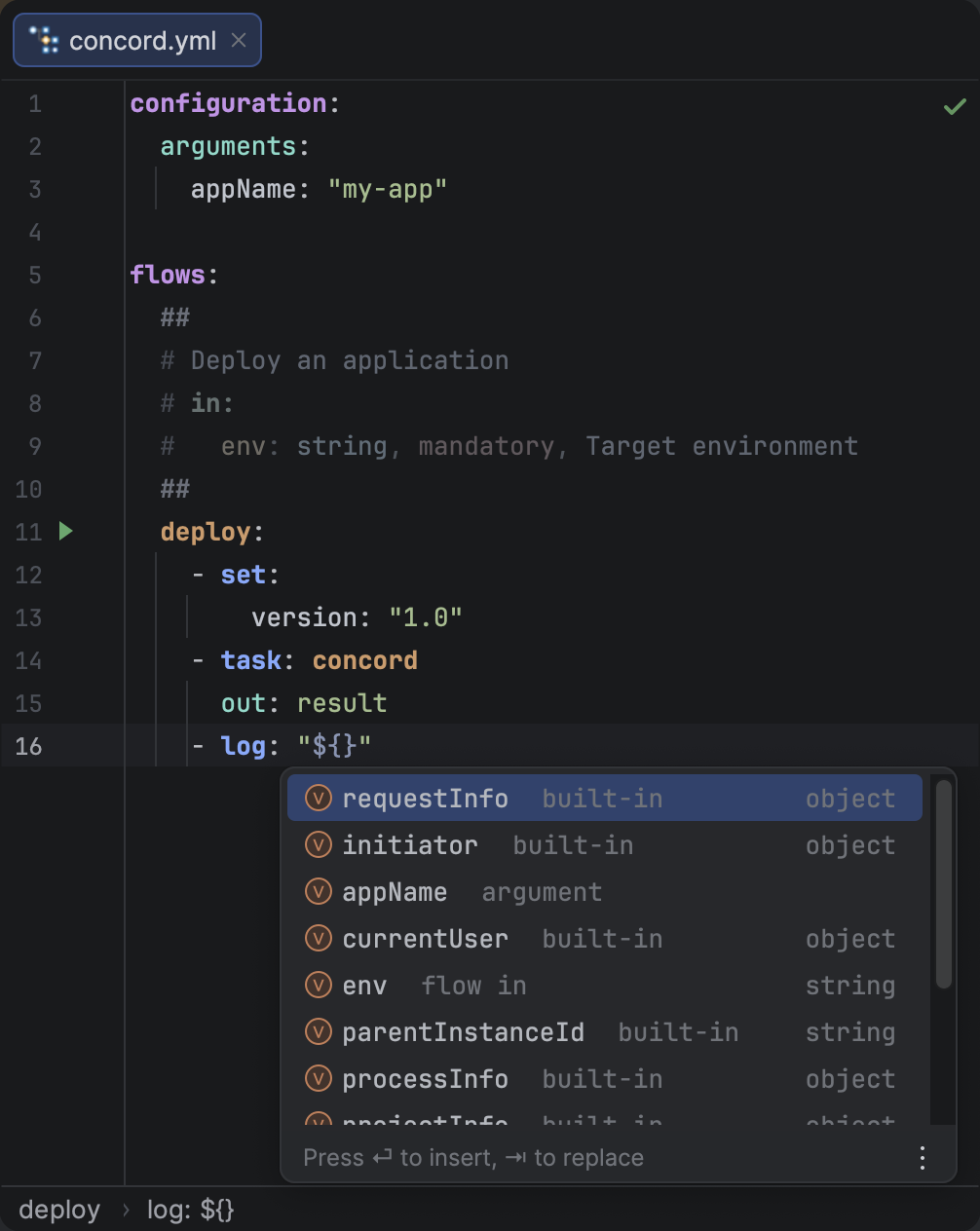
Variable completion inside an EL expression, showing variable icons, source labels, and types.
Property Completion
After typing a dot in an expression (e.g. ${initiator.}), the plugin suggests available sub-properties based on the variable's schema. This works for built-in variables, task output, and any variable whose structure can be inferred from the YAML.
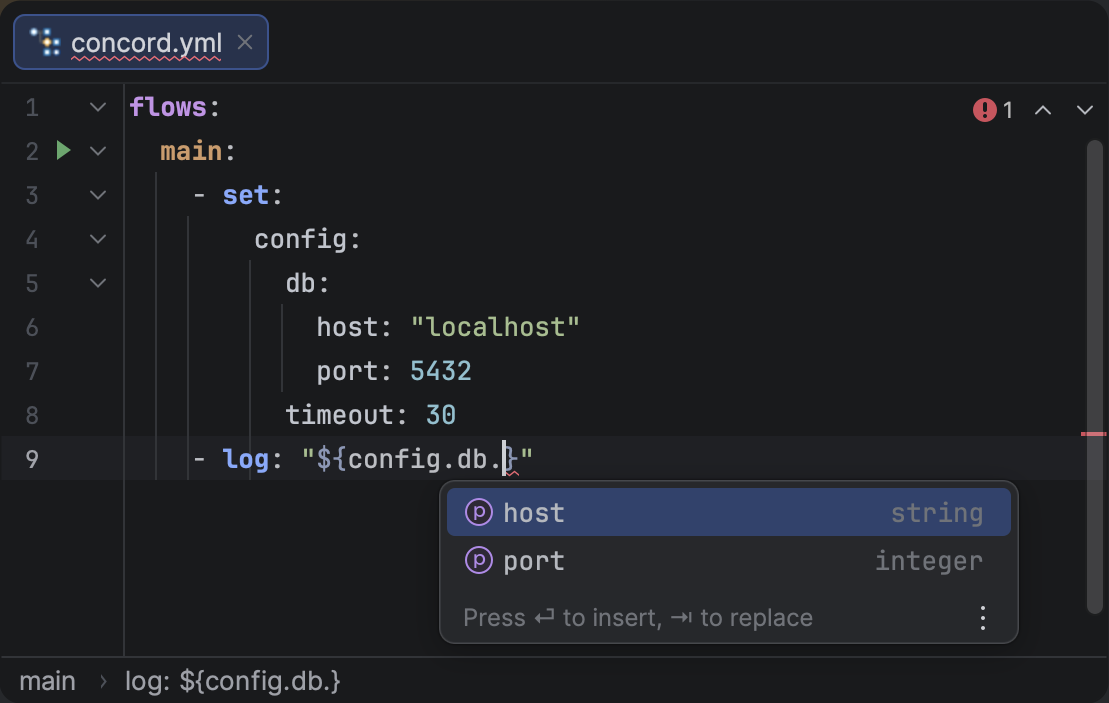
Property completion after a dot in an EL expression, showing available sub-fields with types.
Go to Declaration & Find Usages
Ctrl + Click on a variable in a ${...} expression to jump to its declaration — whether it's a key in configuration.arguments, a parameter in a flow doc block, a set step, or an out field of a task/call step. The same works in reverse: place the caret on a variable declaration and press AltF7 to find every expression that references it.
Navigation also works for nested properties — clicking host in ${config.db.host} walks the property chain to the corresponding YAML key.
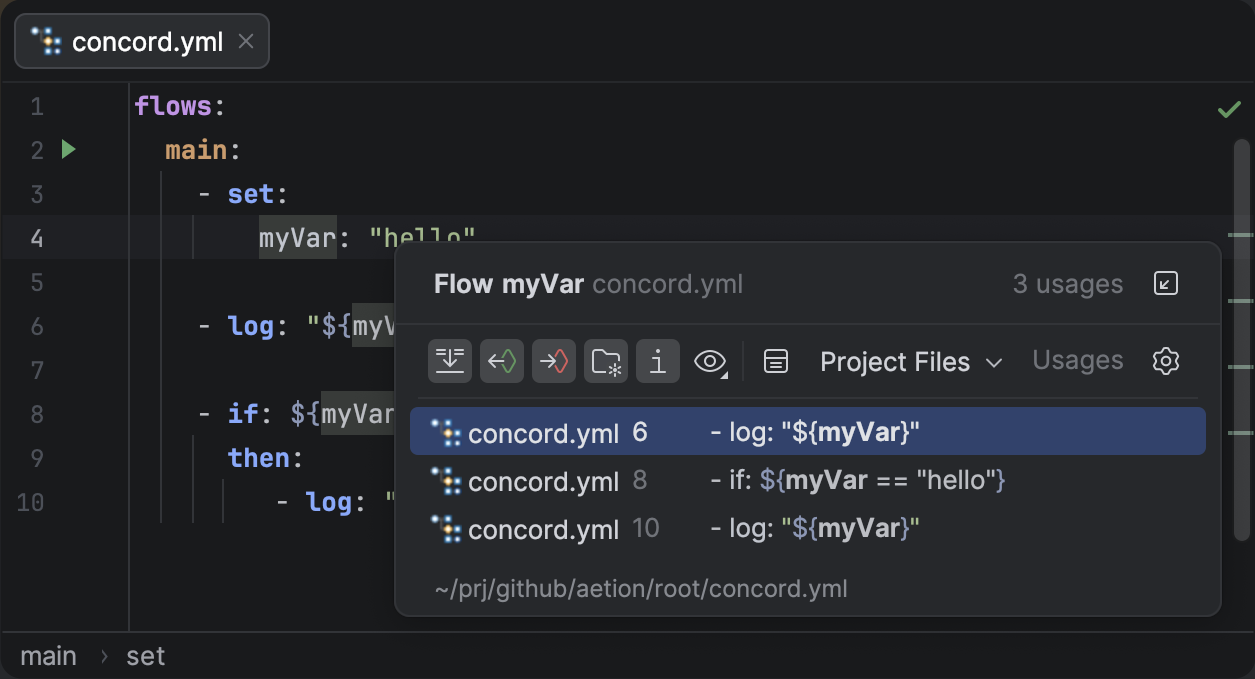
Find Usages showing all expression references to a variable declared in a set step.
Variable Schema Inference
The plugin now infers variable types from multiple sources across your flow, enabling typed completion and property suggestions for ${...} expressions:
setsteps — Variables assigned in set steps have their structure inferred from the YAML mapping values.configuration.arguments— Arguments declared at the top level are tracked with their types.callstepout— Output variables from a call step are inferred from the target flow's documentation block.taskstepout— Output variables from a task step are inferred from the task's JSON schema.
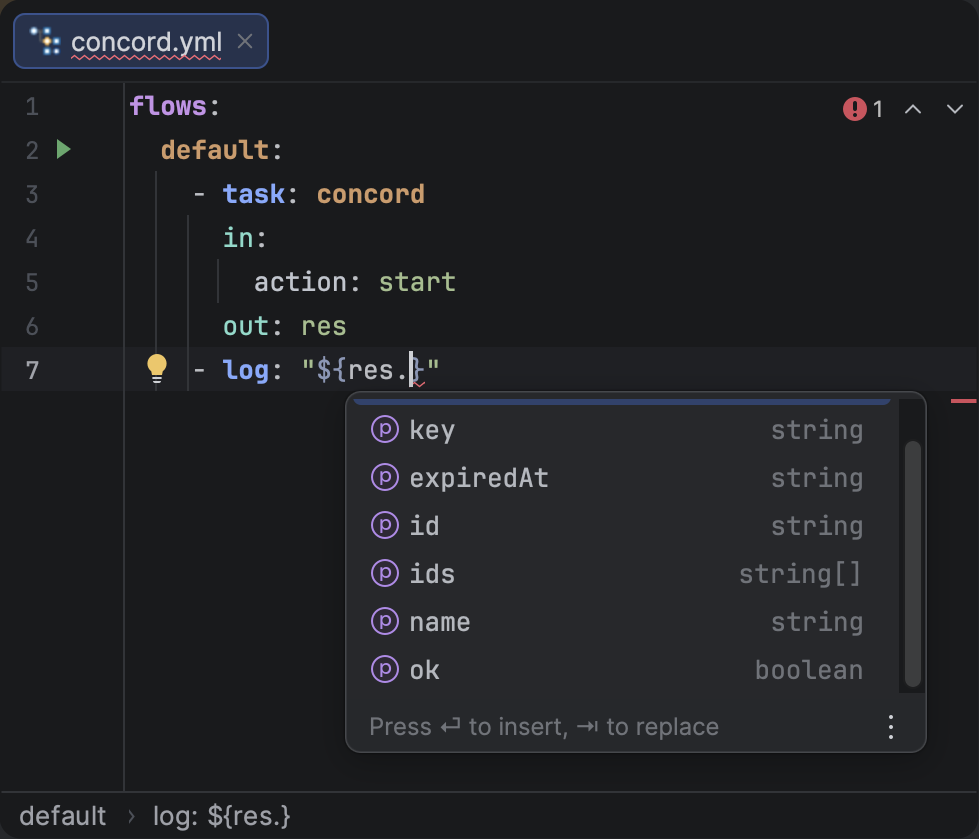
Property completion for a task output variable, with types inferred from the task's JSON schema.
Call Output Parameter Completion
When writing the out field of a call step,
the plugin now suggests output parameter names from the target flow's Documentation Block.
This works for both scalar and sequence forms of the out field.
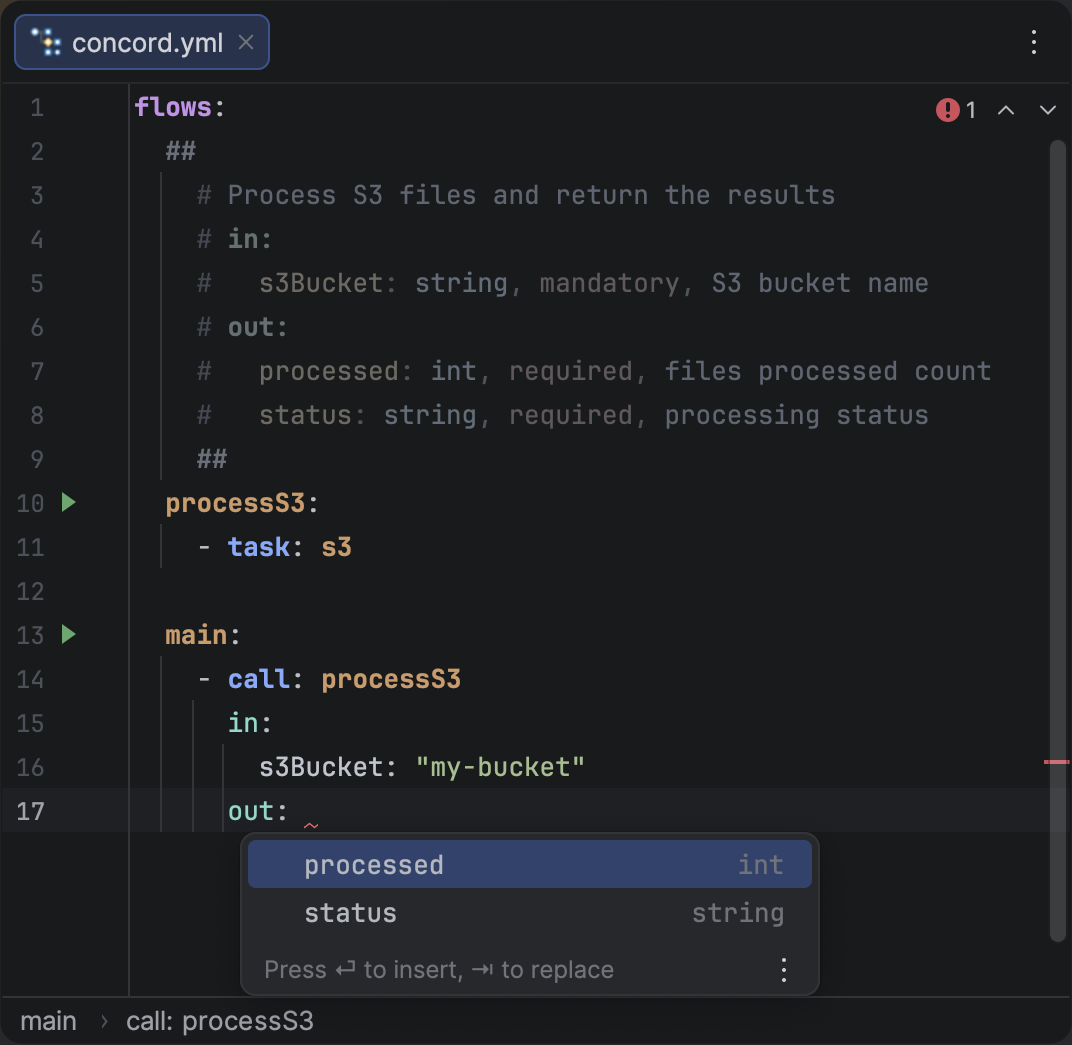
Completion popup suggesting output parameter names from the target flow's documentation block.
JDK Selection for Concord CLI
You can now select a specific JDK for running the Concord CLI, independent of the project SDK. This is useful when your project targets a different Java version than what Concord requires.
Configure it in Settings > Tools > Concord > CLI.
Other Improvements
- Stale Highlighting Fix: The analysis daemon now restarts on external VFS changes, preventing stale highlighting after files are modified outside the IDE.