What's New in Concord IntelliJ 0.18.0
The 0.18.0 release introduces the Concord Tool Window for a bird's-eye view of your project,
Dependency Management with task name completion and error reporting,
and Related Symbol navigation to quickly jump to root files.
Concord Tool Window
A new dedicated tool window gives you an at-a-glance overview of your Concord project structure. The tree displays your scopes, root files, dependencies, and resources in a single panel.
- Navigate Instantly: Double-click any item to jump directly to its source.
- Always Up-to-Date: The tree automatically refreshes when project files change.
- Scope Awareness: Each scope is displayed as a top-level node, making it easy to work with monorepos.
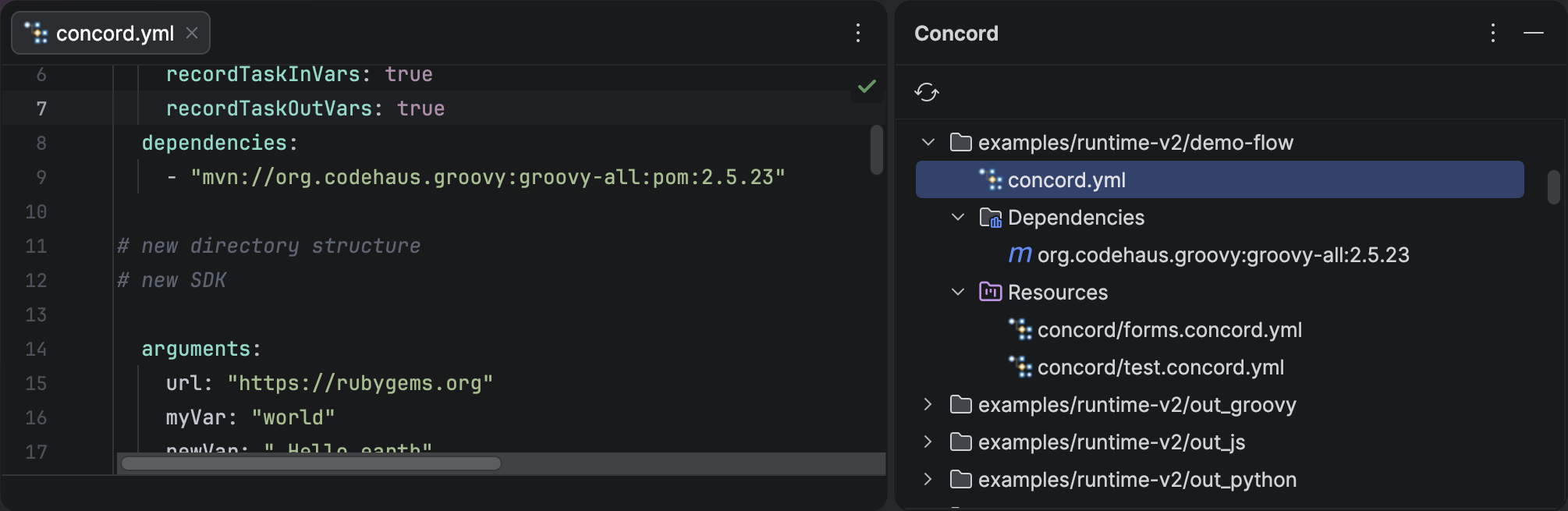
The Concord Tool Window shows your project's scopes, root files, dependencies, and resources.
Dependency Management
Task Name Completion
The plugin now scans Maven dependencies declared in your concord.yaml and extracts @Named task names from JARs.
This means you get scope-aware autocompletion for task step values—no more guessing task names or hunting through documentation.
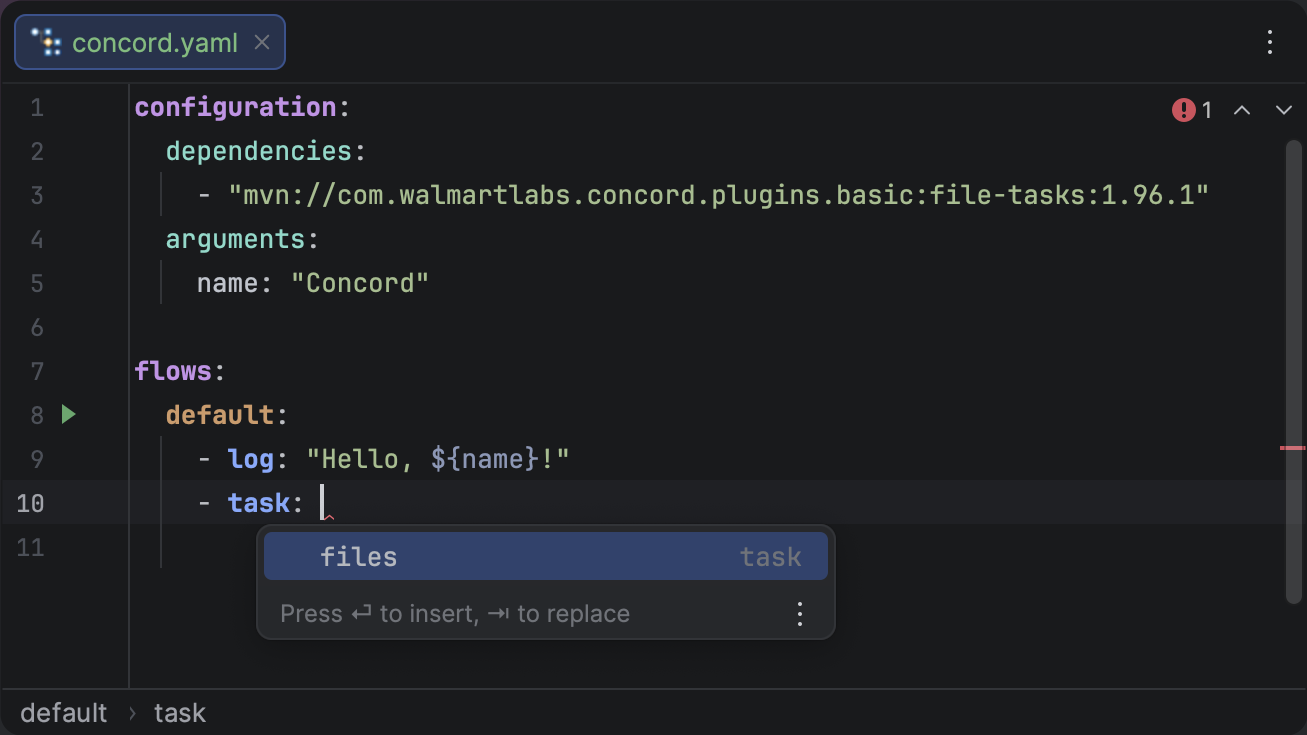
Task names are extracted from Maven dependencies and suggested as you type.
Dependency Error Reporting
Unresolved dependencies are now surfaced directly in the editor as inline inspections, so you can spot configuration problems without leaving your flow file. Errors are also reported in the Build Sync tab with clickable navigation, and problem files are marked red in the Project tree.
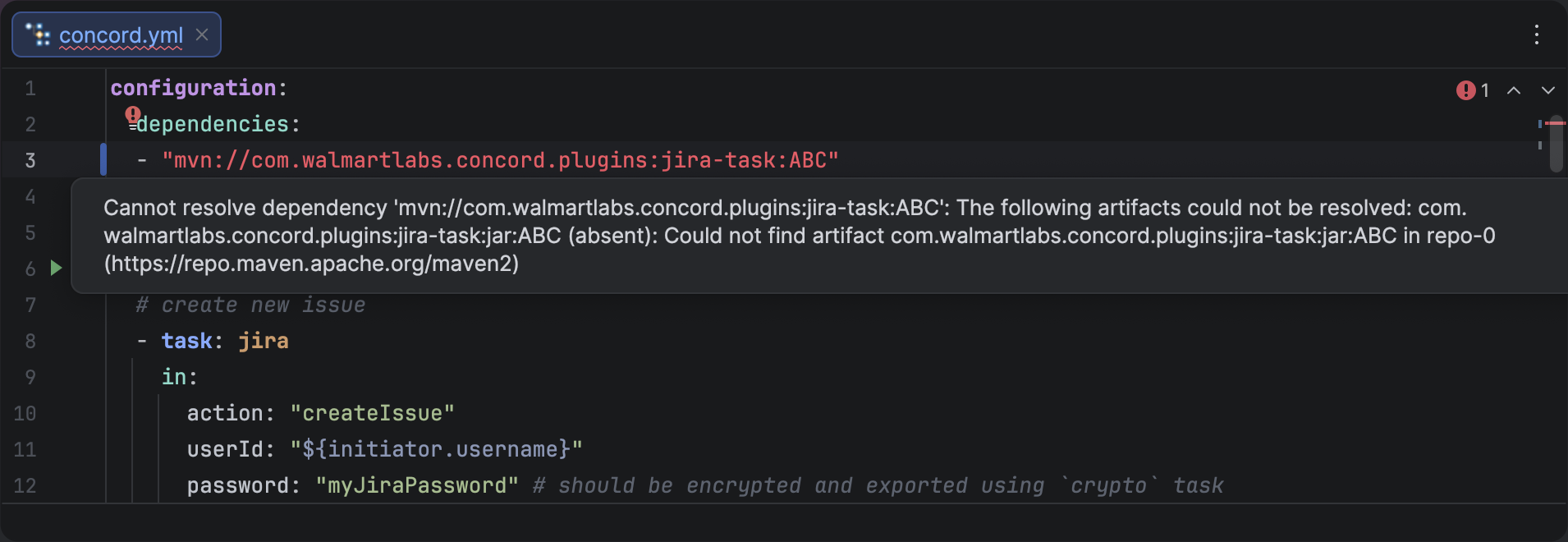
Unresolved dependencies appear as inline editor inspections with descriptive messages.
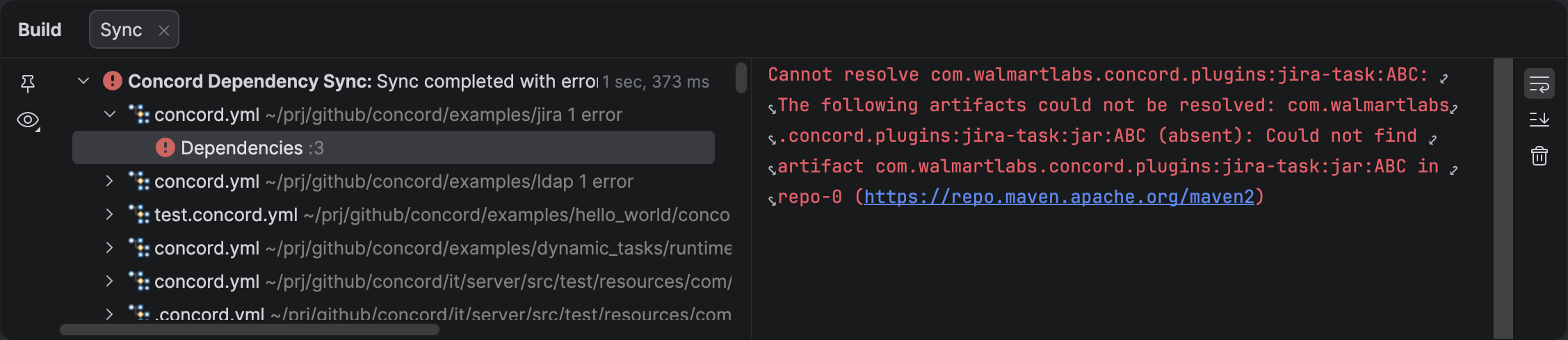
The Build Sync tab lists all dependency errors with clickable links to the source.
Related Symbol Navigation
You can now navigate from any Concord file to its associated root concord.yaml file.
This is especially useful in large projects where resource files are deeply nested.
- Shortcut: CtrlAltHome
- Menu: Go to Navigate > Related Symbol
If a file belongs to multiple scopes, a popup will let you choose which root to navigate to.
Other Improvements
- Scope-Strict Flow Completion: Flow completion now strictly respects the search scope, preventing suggestions from leaking across project boundaries.