Flow Documentation
As Concord projects grow, documenting the purpose and parameters of each flow becomes essential. The Concord IntelliJ Plugin supports structured flow documentation blocks that transform YAML comments into meaningful metadata for navigation, completion, and validation.
Format Overview
Flow documentation is written as a structured comment block placed immediately before a flow definition under flows.
The block is wrapped between two lines containing only ##.
flows:
  ##
  # Process S3 files and return the total count
  # in:
  #   s3Bucket: string, mandatory, S3 bucket name
  #   s3Prefix: string, optional, File prefix filter
  # out:
  #   s3Processed: int, mandatory, Files processed count
  ##
  processS3:
    - task: s3
Syntax Rules
- Boundary: Must start and end with a line containing only
##. - Prefix: Each content line must start with
#(hash + space). - Placement: Must be directly above the flow name.
- Description: Any text before the first in: or out: section is treated as the flow description.
Parameters (in: and out:)
Input and output parameters are declared inside their respective sections.
Indentation Matters
Parameter lines must have greater indentation than the section header (in: or out:). Lines with equal or smaller indentation are treated as user text and ignored.
Parameter Syntax
# name: type, mandatory|optional, description
- Type: Supports simple types (string, int, boolean, etc.) and arrays (string[], etc.).
- Optionality: Use mandatory (or required) or optional. If omitted, the parameter is treated as
optional. - Description: Free-text description of the parameter.
Nested Object Parameters
You can use dot notation to document fields within structured objects:
##
# in:
#   config: object, mandatory, Connection configuration
#   config.host: string, mandatory, Server host
#   config.port: int, optional, Server port
##
connect:
  - task: connect
IDE Integration
The plugin uses this metadata to provide a first-class development experience:
- Autocomplete: Suggestions for parameter names when writing a call step.
- Validation: Highlighting for invalid types or missing mandatory parameters.
- Quick Fixes: Automatically sync documentation with actual flow usage.
- Hover Tooltips: Descriptions from your documentation blocks are shown when you hover over flow calls.
Example
Type ## on a line above a flow and press Enter. The IDE will help you structure your documentation.
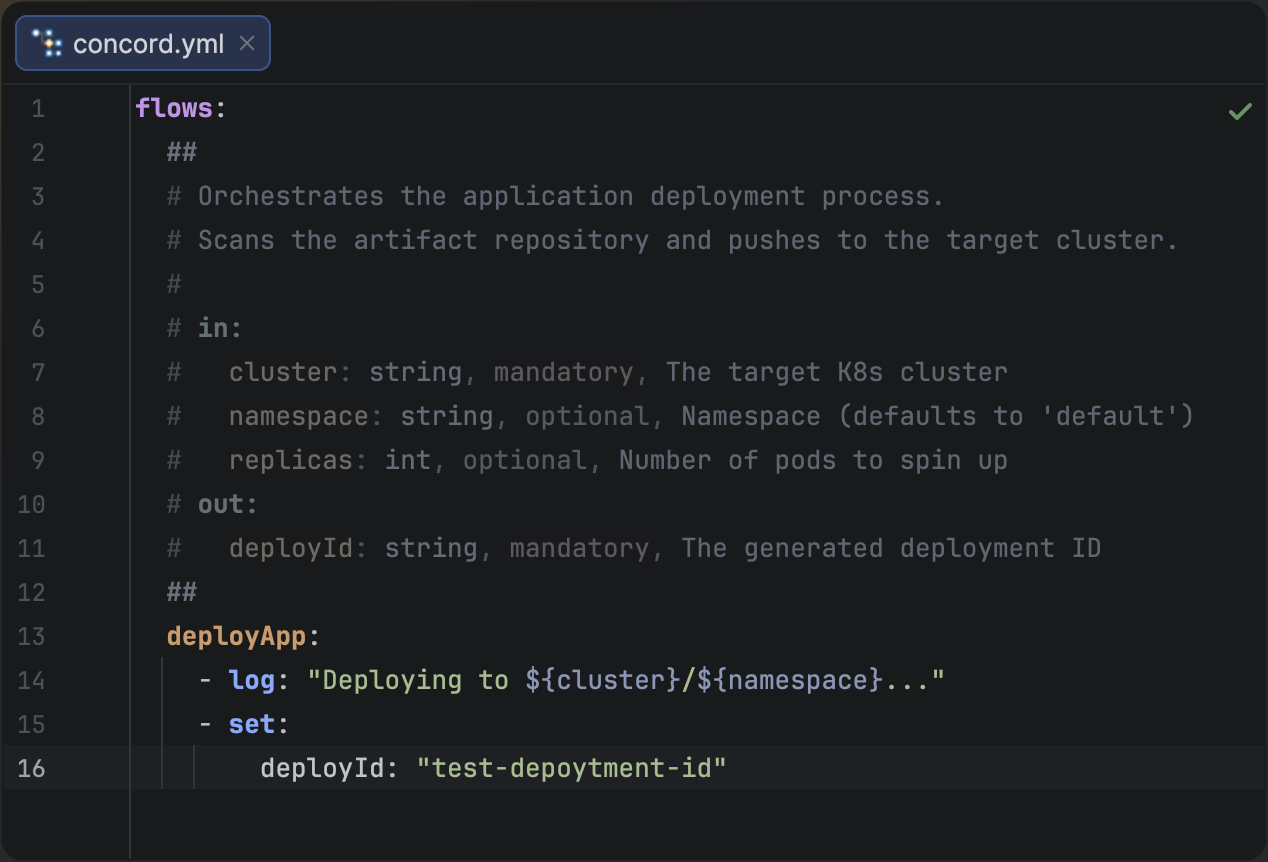
Structured documentation providing metadata for flow parameters.
Flow documentation blocks are pure comments. They do not affect the runtime execution of your Concord flows.