Language Injection
The Concord IntelliJ Plugin provides automatic language injection for script steps. This means when you are writing a script in a supported language within your Concord YAML, the IDE treats it as code in that language, providing full editing support.
Supported Languages
The following languages are currently supported for injection:
- Groovy (
groovy) - JavaScript (
js,javascript) - Python (
python) - Ruby (
ruby)
How it Works
The plugin automatically detects the language based on the script property of the step. When you define a body for the script, the corresponding language is injected into the scalar value.
Example
flows:
  default:
    - script: groovy
      body: |
        // This is highlighted and edited as Groovy code
        def name = "Concord"
        println "Hello, ${name}!"
Implicit Variables & Autocompletion
Concord automatically exposes specific variables to scripts during execution. The plugin is aware of these implicit variables and provides code completion for them directly within the injected script block.
This ensures you can easily discover and use available context objects without leaving the IDE editor.
Features within Injected Code
Once a language is injected, you gain access to standard IDE features for that language inside the YAML block:
- Syntax Highlighting: Proper coloring for keywords, strings, and variables.
- Code Completion: Suggestions for standard library functions, variables, and Concord implicit objects.
- Inspections & Quick Fixes: Error detection and automated fixes specific to the language.
- Formatting: Reformat injected code according to language-specific style guides.
Example
Language Injection in Action
Editing a script step with full IDE support for the Groovy language:
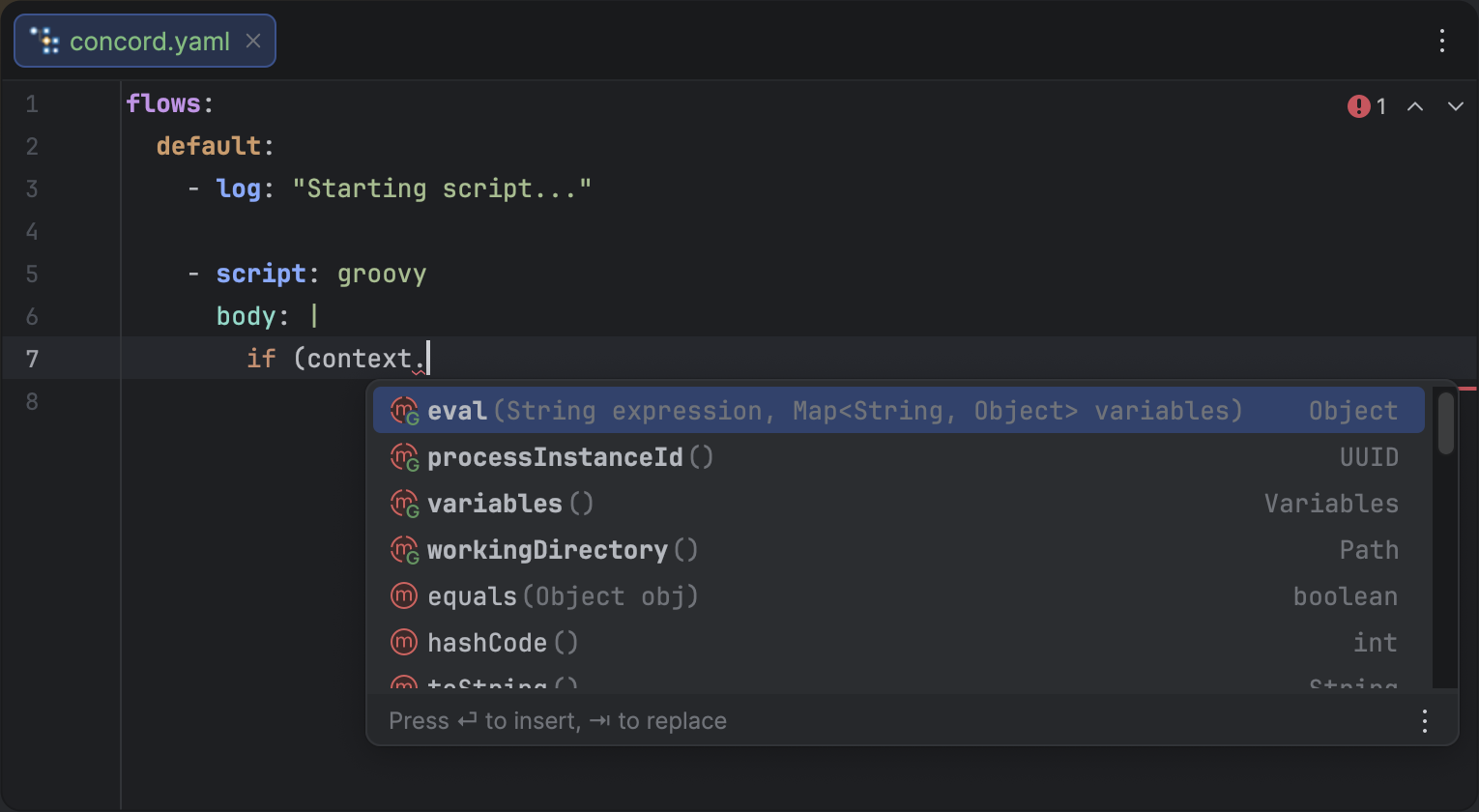
Groovy code injection with syntax highlighting and autocompletion for implicit variables.