Find Usages
Managing large Concord projects requires knowing exactly where a flow is being called before you make changes. Find Usages allows you to locate every reference to a flow or variable across your entire project.
The tool is scope-aware, meaning it understands the boundaries of your Concord projects and filters results accordingly.
How to Use
- Place the caret on any flow definition or flow call.
- Invoke Find Usages:
- Shortcut: AltF7
- Menu:
Edit | Find | Find Usages - Context Menu: Right-click and select
Find Usages.
Features
- Group by File/Module: Organize results to see which projects or files use the flow most.
- Preview Pane: See the code context for each usage without switching files.
- Filter Results: Exclude certain types of usages (e.g., skip comments or documentation).
Variable Usages
Find Usages also works for variable declarations, showing every ${...} expression that references the variable. Place the caret on any of these and invoke Find Usages:
- A key in set step
- A key in
configuration.arguments - A parameter in a flow Documentation Block
- An
outfield value — scalar (out: result), mapping key (out: {res: ...}), or array item (out: [result]) — on task, expr, call, script, try, block, and parallel steps
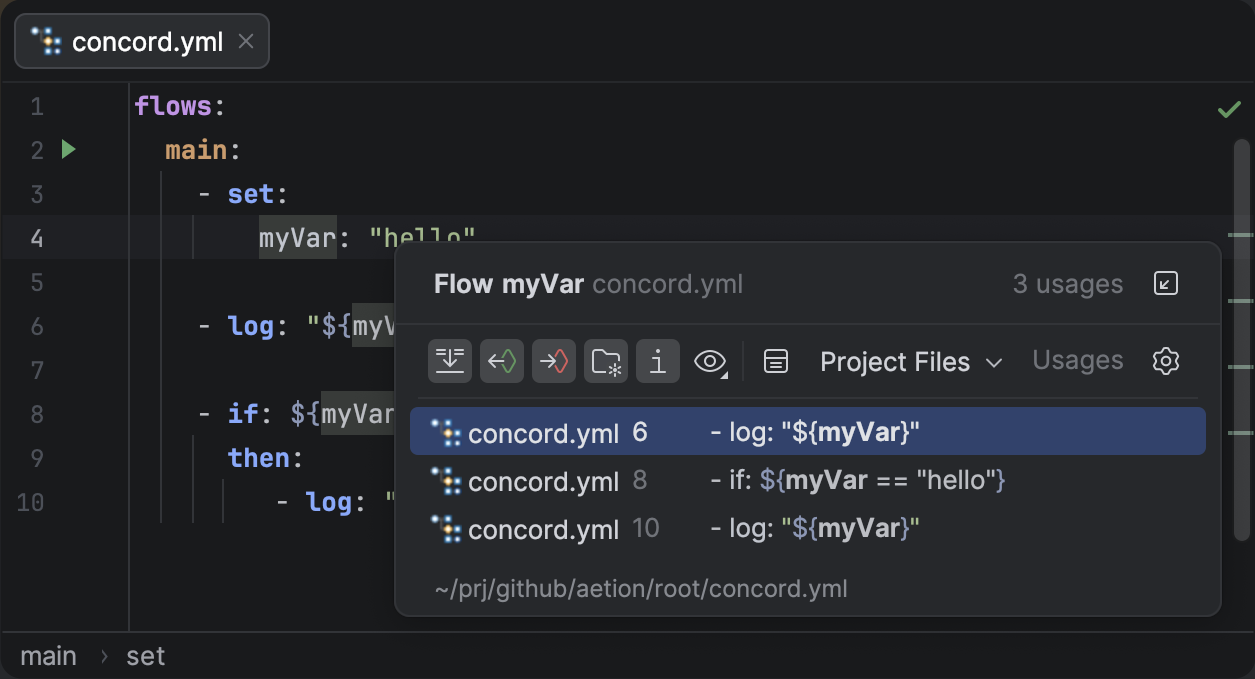
Find Usages showing all expression references to a variable declared in a set step.
Example
Consider a project with multiple deployment flows that share a common setup step:
flows:
  deployDev:
    - call: setupEnv
    - log: "Deploying to Dev"

  deployProd:
    - call: setupEnv
    - log: "Deploying to Prod"

  setupEnv:
    - log: "Setting up environment..."
Locating Flow References
Running Find Usages on the setupEnv definition will list both deployDev and deployProd as callers.
Select setupEnv and press AltF7 to see where it is used.
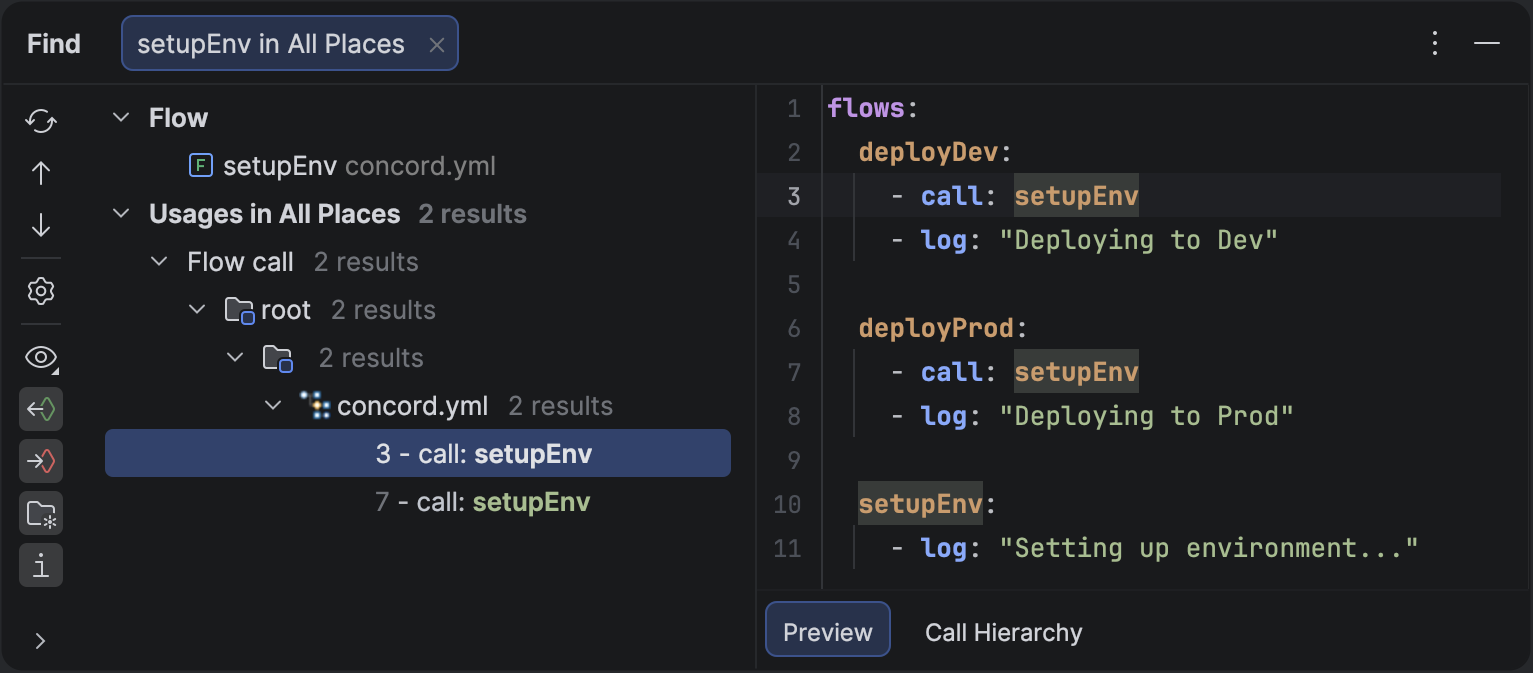
Find Usages tool window showing all references to a specific flow.
For a quick list of references without opening a tool window, use Show Usages:
CtrlAltF7